





 |
 |
 |

The Meltshops Web Reporting System is used to view the information generated by a Level 2 Information System. This web based intranet application allows authenticated users, access to the reports using any web browser such as Internet Explorer ® or Firefox ®. The Web Reporting System is built of several reports, graphs and trends that highlight the most relevant information of the production process of steel.
Reports Presentation and filtering
The Meltshops Web Reporting System has reports in four different time frames:

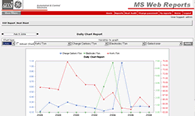
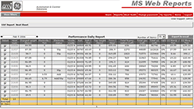
- Daily - Includes the information for the production date selected. The information is presented in a daily heat basis.
- Weekly - The user will be able to select the desired week, giving him the option to view information in a daily heat basis.
- Monthly - Includes the production information for the selected month. The information is presented in a daily heat basis.
- Yearly - Includes all the information summarized for the chosen year. The Information is presented in months, and it allows the user to view information in a daily heat basis.
The user will manually enter arbitrary time frames in order to obtain the report with the desired information. Reports may be filtered by different variables, like crew, shift, grade, grade family, etc., linked to the time framing.
Reports Customization
Thee user may customize the reports in order to display just the information and reports that are relevant or important to him. This is done through a friendly and easy to use Interphase that requires no system administration personnel.
Graphs
The Reporting System includes some graphs that help the user to visualize the data collected and summarized. It includes graphs to plot up to four process variables simultaneously, through the selected time. These graphs are presented in the same time frames that the reports (Daily, Weekly, Monthly and Yearly).
Heat Audit
Some data in the database can be audited. When the heat ends, generated data is sent to the database. Possible problems in data collection could arise. This tool provides the means to correct the data afterwards.